
Free Online Audio Rooms — Study, Hang Out, Listen Together
Voice-based rooms for virtual studying, casual hang-outs, and lofi listening sessions. No download, no account, no video pressure. Just open the link and you're in.
Live Voice Chat
Talk with everyone in the room via microphone, with real-time speaking indicators.
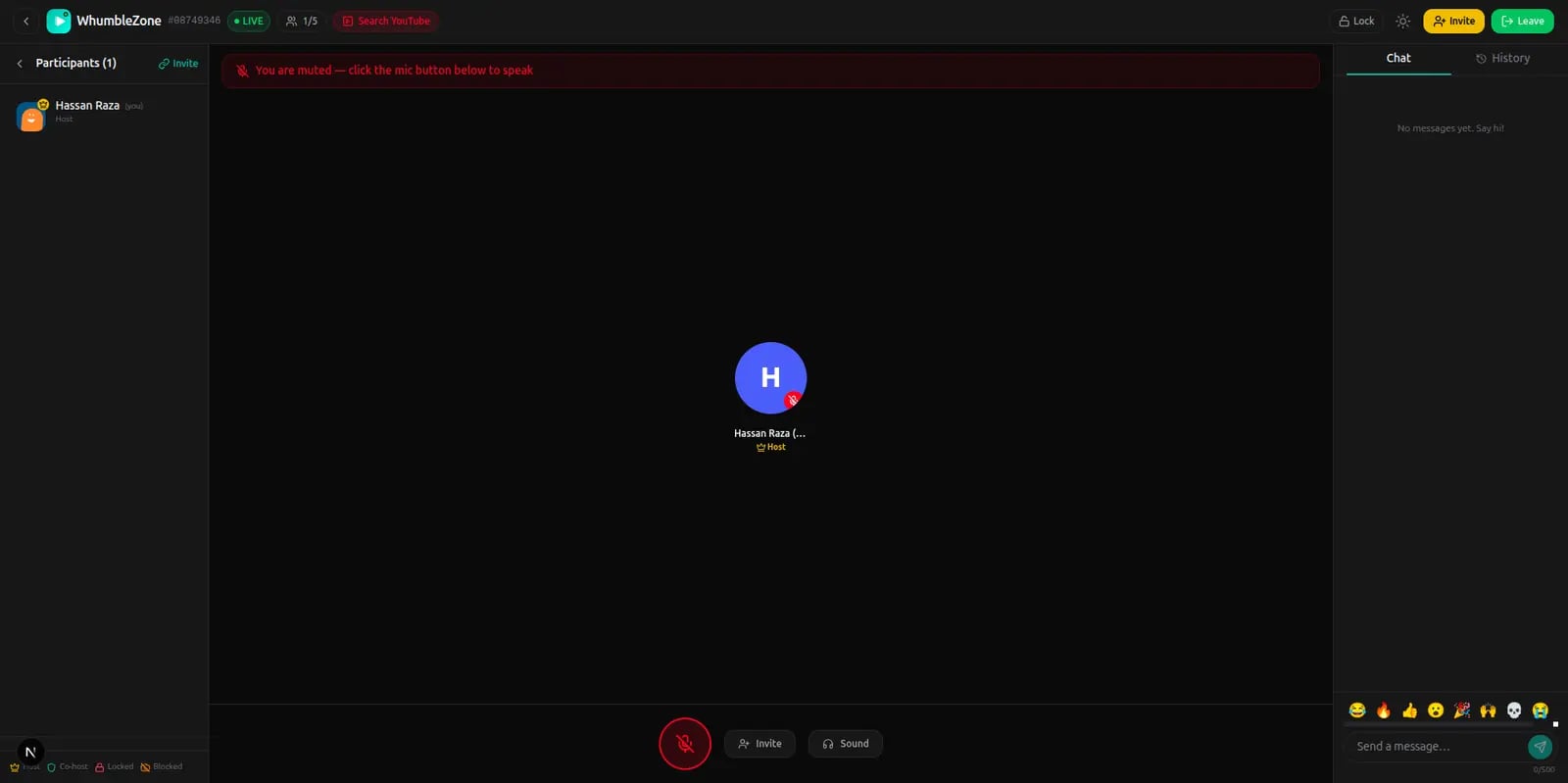
Create Your Audio Room
Choose public or private, then share the link and start talking — free, no account.
Voice Room
Audio-only, no video
- Animated speaking indicators
- Invite-only link
- Full chat + admin controls
Audio Room Features
Live Voice Chat
Talk with everyone in the room via microphone. See who's speaking with real-time indicators.
Virtual Study Rooms
Join a quiet study room and work alongside others. Ambient human presence dramatically boosts focus.
Lofi Listening
Combine with a video watch room to play lofi YouTube streams while chatting in voice.
Casual Hang-outs
No agenda required. Audio rooms are great for ambient presence while cooking, working, or gaming.
Public Mood Rooms
Discover themed study and chill rooms on the Discover page. Join any active room in one click.
No Setup
No app, no account, no extension. Open the link in any browser and your audio room is ready.
How People Use Audio Rooms
Study sessions
Create a private room for your study group. Everyone works in silence but knows they're not alone. Check in via voice when you need a break.
Long-distance presence
Keep an audio room open while you each do your own thing. Cook dinner together, work from home together, or just exist in the same space.
Lofi music together
Combine an audio room with a video watch room running a lofi YouTube stream. Everyone hears the same music while staying connected.
Accountability partners
Set a timer, tell your partner what you're working on, and check in every hour. Audio rooms make remote accountability effortless.
Creative coworking
Writers, designers, and developers use audio rooms as virtual coworking spaces. Independent work, shared energy.
Audio Rooms vs Video Calls
| Feature | Audio Room | Video Call (Zoom/Meet) |
|---|---|---|
| Setup time | Seconds | Minutes |
| Camera required | No | Usually expected |
| Good for long sessions | Yes | Causes fatigue |
| Works on phone browser | Yes | Requires app |
| Ambient presence feel | Yes | No |
| Shared audio/music | Yes (via watch room) | Screen share only |
| No account to join | Yes | No |
Frequently Asked Questions
What is a virtual study room?
A virtual study room is an online voice space where students study alongside each other in real-time. WhumbleZone's audio rooms replicate the feel of studying in a library or café — ambient human presence without distraction.
Can I join a study room without signing up?
Yes. Browse public study rooms on the Discover page and click Join. No account, no sign-up, no download.
Does the audio room work on mobile?
Yes. Open any browser on iPhone or Android, grant microphone access once, and the audio room works fully — voice, chat, participant list.
Can I combine audio and video in WhumbleZone?
Yes. Open a video watch room in one tab and an audio room in another. Play a lofi YouTube stream in the watch room and talk with friends in the audio room simultaneously.
What are mood rooms?
Mood rooms are public themed audio rooms on the Discover page. Categories include Study, Chill, and Night rooms. Anyone can join active mood rooms without an invite.
Start Your Audio Room
Create a room in seconds. Share the link. Study, hang out, or listen together — free.