
The Free Watch Party App That Works Everywhere
Watch YouTube, Twitch, and Spotify in perfect real-time sync with anyone in the world. No Chrome extension. No account to join. Works on iPhone, Android, and every desktop browser.
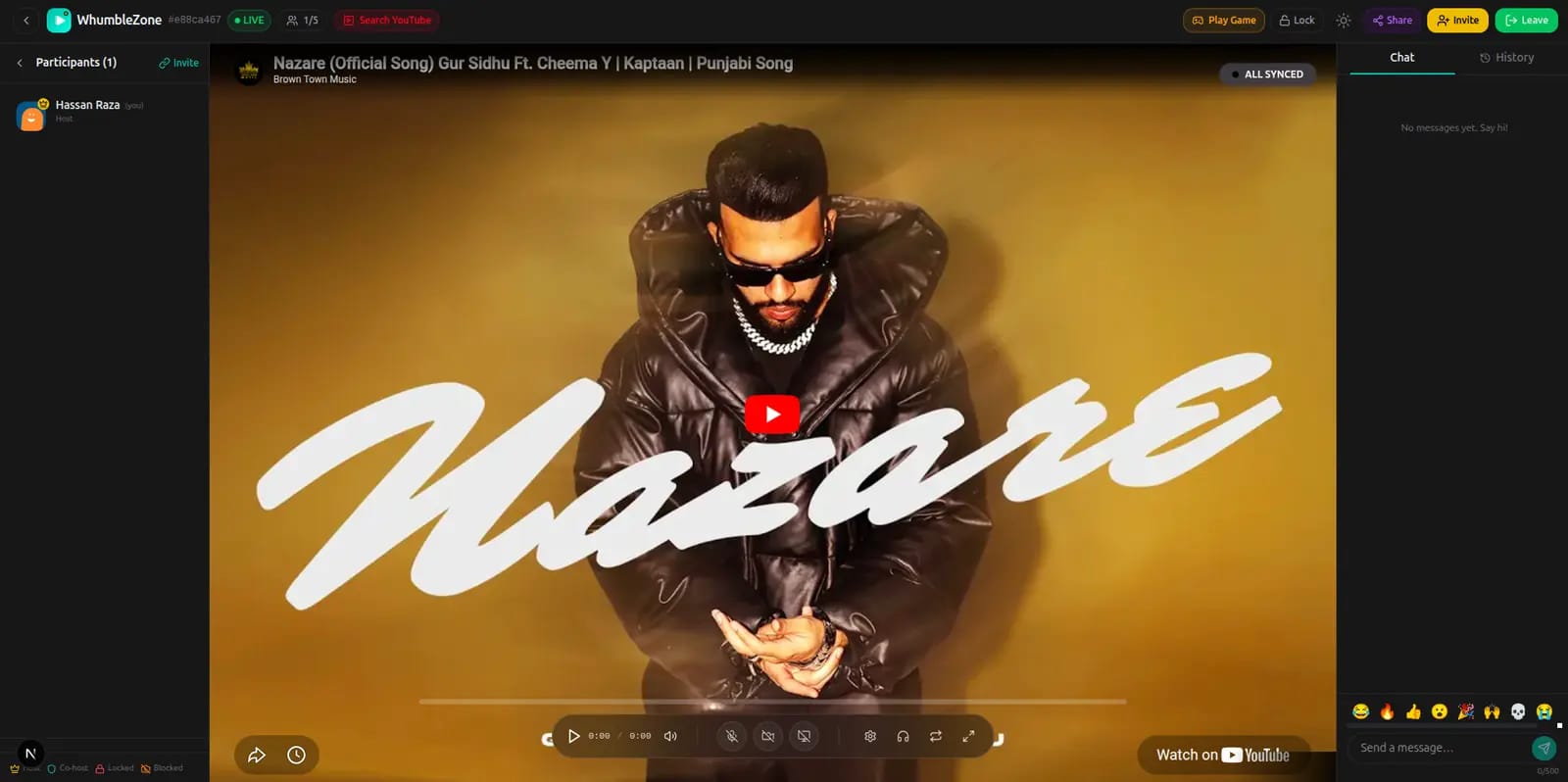
Get Started in Under a Minute
Open WhumbleZone
Go to whumblezone.com in any browser. No download, no account.
Create a room
Click "Create Room" and choose Private or Public.
Paste a YouTube URL
Add any YouTube video, playlist, Twitch stream, or Spotify link.
Share & watch
Copy the room link, send to friends. Everyone syncs in real-time.
Everything in a Watch Room
All features are free. No paywall, no account required to join.
Real-Time Sync
Every play, pause, and seek is broadcast instantly. Everyone stays on the same frame — automatically.
Live Chat
Type and see messages instantly while the video plays. Chat stays open alongside the video on desktop.
Floating Reactions
Tap an emoji and it floats up over the video on everyone's screen simultaneously. React to the same moment together.
Video Queue
Add multiple YouTube URLs or paste a full playlist. Videos play in sequence for everyone without interruption.
Private Rooms
Private rooms are only accessible via your invite link. No one else can find or join without it.
Public Rooms
Public rooms appear on the Discover page. Great for community events and meeting others with shared taste.
Supported Platforms
Videos, playlists, shorts — any public YouTube URL
Live streams and VODs — watch live events together
Tracks and albums — co-listen in sync
Frequently Asked Questions
Is WhumbleZone watch party free?
Yes. All watch party features are completely free — sync, chat, reactions, queue. No subscription required.
Do I need a Chrome extension to use WhumbleZone?
No. WhumbleZone works in any browser — Chrome, Firefox, Safari, Edge — without installing any extension.
Does WhumbleZone work on iPhone and Android?
Yes. Open Safari on iPhone or Chrome on Android, go to whumblezone.com, and everything works natively.
Can I watch a YouTube playlist with friends?
Yes. Paste a YouTube playlist URL and WhumbleZone queues all videos automatically. Everyone follows the same queue.
Is WhumbleZone a good Teleparty alternative?
Yes. Unlike Teleparty, WhumbleZone isn't a Chrome extension — it works in any browser, including Safari on iPhone and Chrome on Android, with no install. You also get Twitch and Spotify sync, live chat, and floating emoji reactions.
Is WhumbleZone a good Watch2Gether alternative?
Yes. Unlike Watch2Gether, WhumbleZone requires no account to create or join a room, has no ads blocking the video, and adds live chat with floating emoji reactions — completely free.
How many people can join a watch room?
Multiple people can join the same room. Public rooms can have many concurrent viewers.
Does the video sync stay tight if speeds differ?
Yes. WhumbleZone syncs the playback position, not the video stream. Each person loads the video from YouTube directly.
Ready to Watch Together?
Create a room in seconds. Share the link. Everyone syncs in real-time — for free.
Create a Free Watch Room